B.ai · Case Study
Case Study · AI Product · Consumer · Voice UX · Lenskart

Designing an AI Stylist People Could Trust Through a Purchase

A conversational AI stylist for Lenskart — from the first mic prompt to checkout — designed for a digital platform serving roughly 2.5M monthly active users, in 11 languages.

Role Lead product designer on B.ai, owning the conversational interaction model, onboarding and permission flow, recommendation presentation, trust and explainability patterns, and checkout assistance experience — working closely with product and engineering.
01 / Choosing eyewear is a decision, not a search

Choosing eyewear is not just about finding a frame in a catalogue. Fit, size and how a frame looks on someone all affect the decision, and those questions are difficult to answer from a product grid alone. B.ai was designed to bring more guidance into that online journey — closer to the kind of help someone would normally look for while deciding between frames.

02 / From browsing to deciding

B.ai had to help people move from browsing to deciding

B.ai wasn't built as a separate app or novelty chat window. It lived inside the existing shopping journey. Its job was to narrow the distance between browsing a large catalogue and feeling confident enough to choose a specific frame.
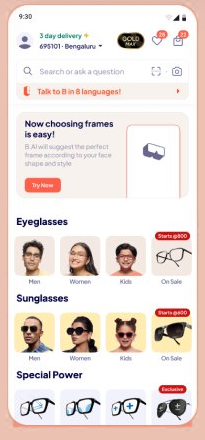
Lenskart homepage banner inviting shoppers to talk to B.ai in 8 languages, the entry point into the conversational stylist.
The entry point, inside the existing homepage
Screen shown from an earlier release; B.ai later expanded to 11 languages.

03 / Before asking for the microphone

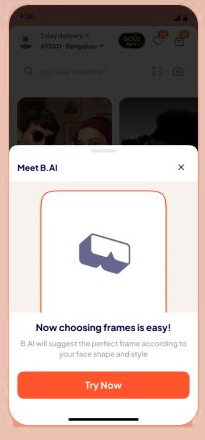
Explain the value before asking for the microphone

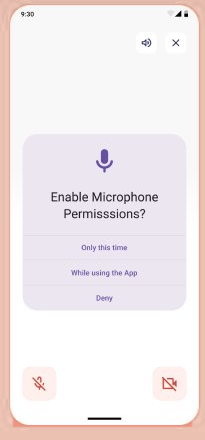
The user sees what B.ai is for before the operating-system permission dialog interrupts the journey. The flow is sequenced in this order — value and language context first, the permission ask second, not on page load.
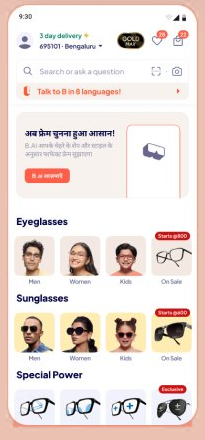
The same B.ai entry banner localized in Hindi, showing language support before any permission prompt appears.
Meet B.AI introduction sheet explaining what the conversational stylist does, shown before microphone access is requested.
Enable Microphone Permissions screen, asking for mic access only after the user already understands what B.ai offers.
04 / Voice alone wasn't enough

Voice alone wasn't enough

Once the conversation starts, B.ai doesn't just talk — it renders. While B is speaking, the relevant product information appears on screen at the same time, so a shopper never has to hold an entire recommendation in their head from audio alone. Voice carries the guidance; the screen carries the specifics. Neither one is doing the whole job.
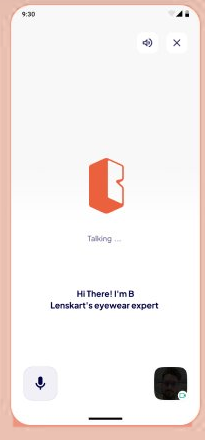
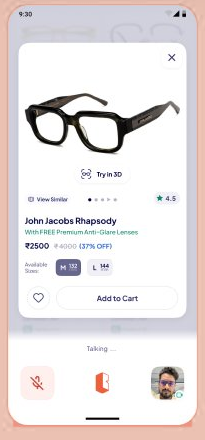
Live conversation screen with B.ai mid-greeting, saying Hi There, I'm B, while a talking indicator animates on screen.
B speaking — live
Product card for a John Jacobs Rhapsody frame shown mid-conversation, with a Try in 3D badge, price, Add to Cart, and a Talking indicator.
The recommendation, rendered in parallel

05 / The pivot

A recommendation is easier to trust when you can check it

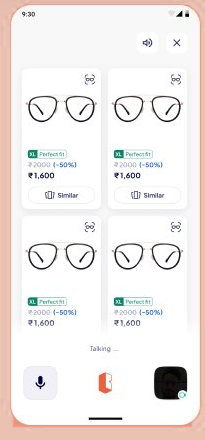
Instead of asking someone to pick S/M/L and hope, B.ai surfaces the actual number — a 132mm face-width measurement — and shows exactly how it maps to each size, labeled by fit quality rather than a generic size name.
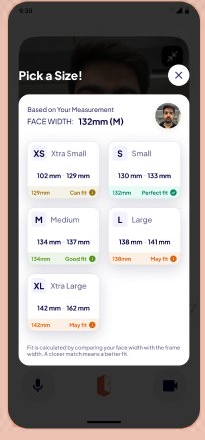
Pick a Size screen showing a 132mm face-width measurement and a grid of frame sizes XS through XL, each tagged Can fit, Good fit, Perfect fit or May fit.
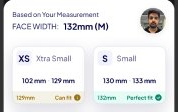
Close-up detail of the face-width measurement header and the Perfect fit size S tile from the size grid.
Result grid of four recommended frames, each labeled Perfect fit against the shopper's measured face width.

06 / From recommendation to purchase

From recommendation to purchase

Small crop of the same product card with the Try in 3D badge referenced from Beat 04.

The product card also exposes a ‘Try in 3D’ entry point before checkout.

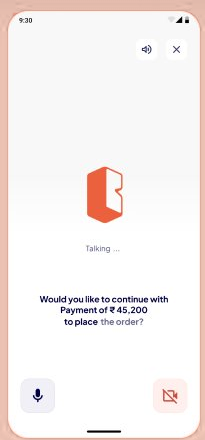
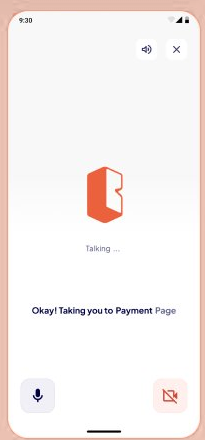
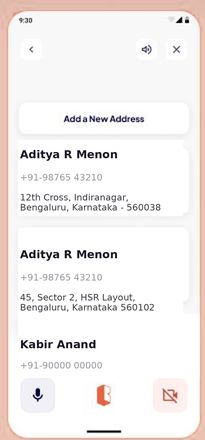
A recommendation only matters if the journey can continue without losing clarity along the way. B.ai stays conversational through checkout — guiding the user through address selection, confirming the payment amount, and narrating the handoff to the payment page. At each consequential step, the interface makes the next action explicit rather than silently moving the user forward.
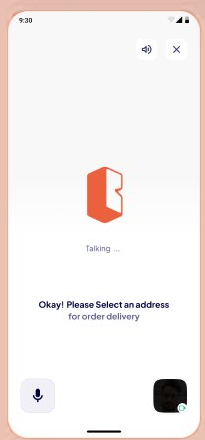
Voice prompt asking the shopper to select an address for order delivery.
Saved address list screen with two delivery addresses to choose between.
Spoken payment confirmation screen showing a payment of 45,200 rupees and asking whether to continue.
Transition screen narrating that the shopper is being taken to the payment page.
← scroll →
07 / Outcome
+37%
Online conversion lift
11
Languages supported
~2.5M
Designed for Lenskart's digital platform serving approximately 2.5M monthly active users
08 / What this changed in how I design AI products

The useful question wasn't how conversational the AI could feel. It was how much of its reasoning and action the user needed to see before letting it move the purchase forward.